
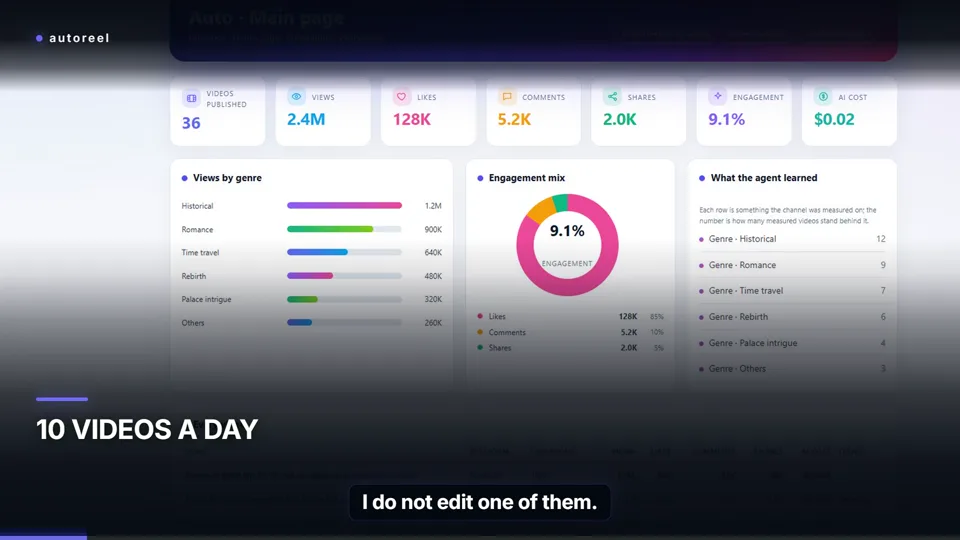
Automatic36 videos · 2.4M viewsWatch the walkthrough
AI Operations takes a topic and six answers, then runs the whole loop: find sources, build the video, check it, post to your Page, measure the numbers and carry the lesson into the next run.
Included in Full and above; a human still solves the CAPTCHA.
AI Operations is not a publish button. It is a six-step loop that stops where you tell it to, and it has places where it deliberately refuses to decide.
Every campaign runs the same loop: find source videos, build the finished cut, check it, post it to the Page, read Facebook’s numbers, then turn the lesson into the next plan. Six steps in a row, and none of them needs you to press again.
| Step | What the machine does | What you see |
|---|---|---|
| Find | Search for new videos across the four searchable sources: Bilibili, Douyin, YouTube, iQiyi | The found-video list in the watch window |
| Build | Fetch the source, cut, dub and subtitle it in the campaign’s content mode | A new video in the results table, state “creating” |
| Check | Check the vertical frame and the duration before publishing | “QC failed”, with the specific reason |
| Post | Publish to the chosen Page, immediately or after you approve | “Posted” or “Awaiting approval” |
| Measure | Read Facebook Insights at five checkpoints | The latest checkpoint’s numbers |
| Learn | Compare within the same platform and checkpoint, then update the plan | What the next run favours |
If a step fails, the campaign stops there and says why. A broken video does not drift on into publishing.
Creating a campaign is six answers. There is no seventh question, and no config file to edit by hand.
| Question | What it decides |
|---|---|
| Campaign name | How you find it again in the list |
| Target Page | Where the video is published |
| Post mode: publish now or approve first | Whether the video goes live or waits for your approval |
| Post language: Vietnamese or English | The language of the caption and the voice |
| Videos per day | How much one run does |
| Runtime: continuous at a start time, or one-shot | Whether the campaign runs daily or only once |
All six can change later. Changing one mid-flight does not touch videos already posted; it changes how the next run behaves.
The content mode decides how the video is built. Pick one for the campaign, or change it when you start a new campaign.
| Mode | Input | When to use it |
|---|---|---|
| Automatic | A topic | You need new videos and have no footage |
| Review | One long review video | You want it split into short clips |
| Movie recap | A film or a series | Retell the story with narration |
| Reup | Existing footage | Rework it for your own channel |
| Cut highlights | A long video | Keep the moments worth posting |
| Translate and dub | A video in another language | Bring it into Vietnamese or English |
Facebook Reels accepts only a 9:16 frame and 3 to 90 seconds. A video with the wrong shape or too long is blocked at the check step, with the reason, rather than posted and rejected by the platform. In translate-and-dub mode, a source longer than 90 seconds is cut into a 45-second 9:16 clip before dubbing. Cutting first is deliberate: a voice recorded over the finished cut matches the picture, instead of being stitched on afterwards.
This is the most important of the six answers, because it decides how much control you keep.
The first week of any new campaign should run on approve-first. Once ten videos have gone through without an edit, switching to publish straight away is a decision with evidence behind it.
After posting, the app reads the post’s numbers at five checkpoints measured from publication. The results table shows only the latest checkpoint for each video, because comparing a video one hour old with one that has run seven days is comparing two different things.
| Checkpoint | What it is for |
|---|---|
| 1 hour | Whether the post is being distributed at all; the numbers are too small to conclude anything |
| 6 hours | An early direction, still noisy |
| 24 hours | The first checkpoint stable enough to compare videos |
| 72 hours | The curve is clear; most videos have taken their main views |
| 168 hours | The one-week picture, used to settle the lesson |
The “Refresh numbers” button reads the numbers now instead of waiting for the next checkpoint. It does not change the schedule and does not create a checkpoint. The numbers come from Facebook Insights, so the Page token needs the read_insights permission. The app asks for it when you connect the Page and offers a reconnect button if the permission is revoked. Without it, publishing still runs; only measurement is empty.
Every posted video leaves four signals. They are not added into one score, because each answers a different question.
Each signal is normalised by platform and by checkpoint before anything is compared: a video at one hour is not compared with a video at 168 hours, and a small Page is not compared with a large one on raw numbers. A video with few views is pulled towards the average instead of being treated as a winner. That is what to do with a small sample: one lucky video is not enough to change the plan. Older results fade over time, and a share of each run is kept for an option that has not been tried. Without that share, it would repeat the first winner forever and never find out whether something else is better.
If one line in this list is the thing you need, treat AI Operations as a tool for the rest of the work — not as a solution to that line.
Yes, if you choose publish straight away. Approve-first holds the video until you press approve in the app or in a Telegram message.
No. Douyin sometimes blocks with a slider; the app opens a dedicated Chrome window for Douyin so you can solve it once, then the campaign waits and retries. Nothing skips that step automatically.
No. The four searchable sources are Bilibili, Douyin, YouTube and iQiyi. TikTok and Hongguoduanju can still be downloaded by link on the Download screen; they are just not part of the campaign’s search loop.
From Facebook Insights, through a Page token with the read_insights permission. The app asks for it and offers a reconnect button; without it you can still post, but not measure.
Reels accepts 9:16 and 3–90 seconds only, so a video that breaks the rule is blocked at the check step with the reason. In translate-and-dub mode, a source longer than 90 seconds is cut into a 45-second 9:16 clip before dubbing.
No. The app runs on your computer; if it is off, that run does not happen, and the campaign waits for the next one.
Every mode has its own dashboard: videos published, views, engagement, AI cost and what the agent learned. Captured from the running app; the figures are illustrative, with the DEMO chip in the corner.
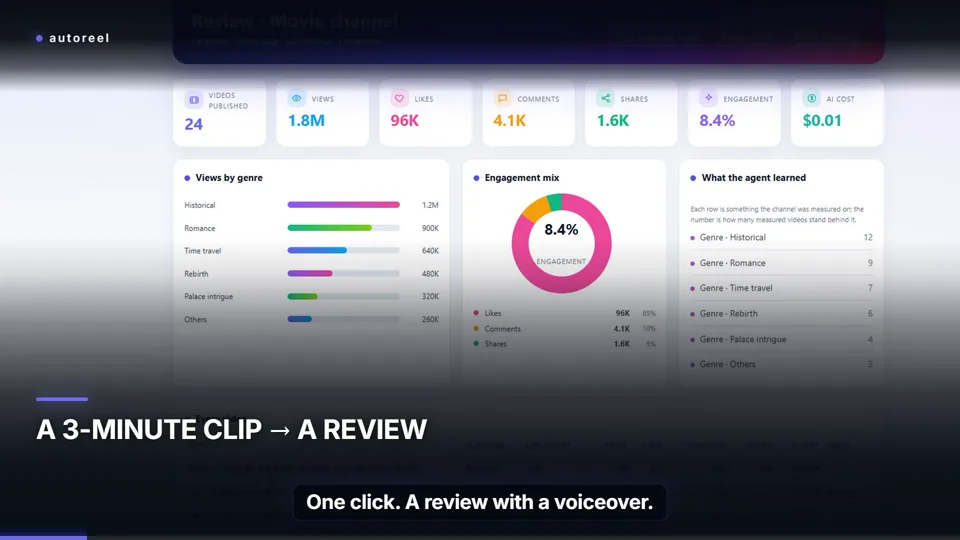
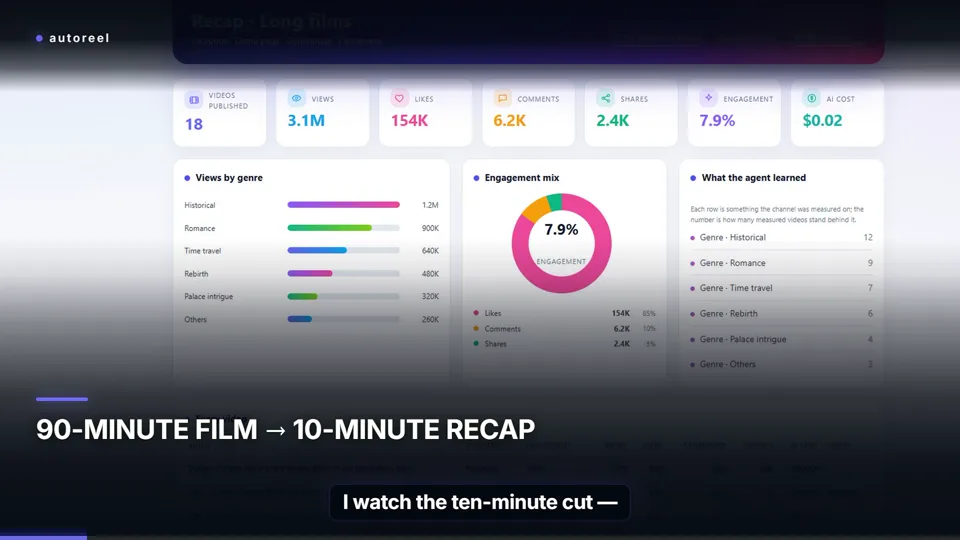
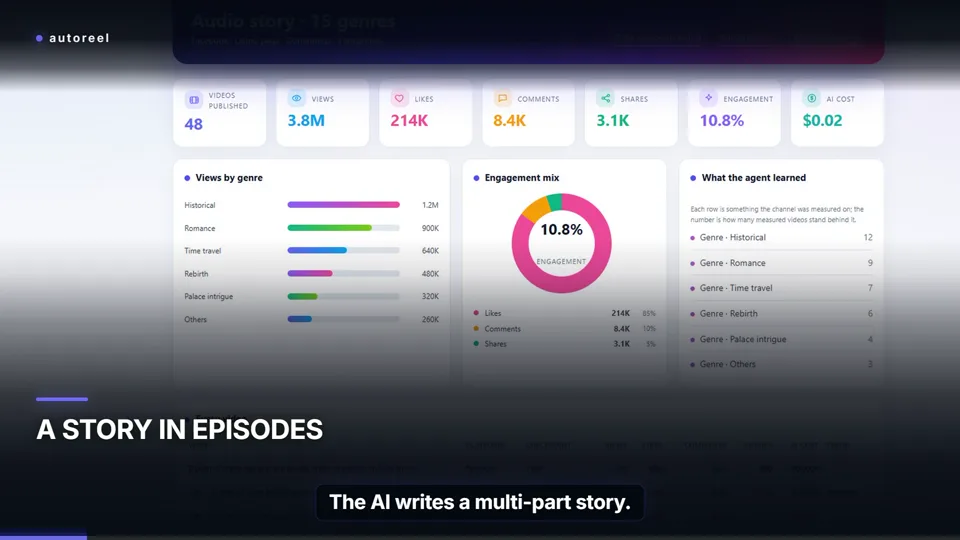
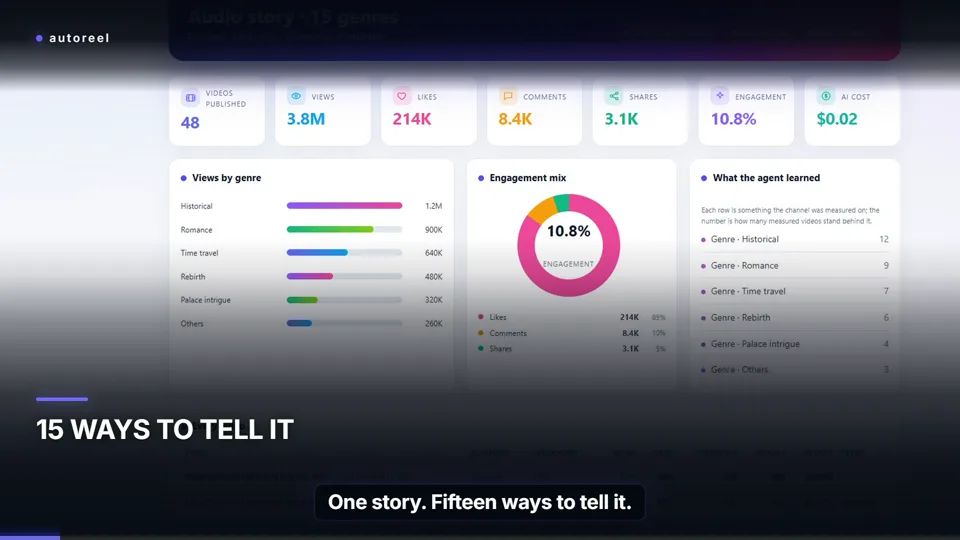
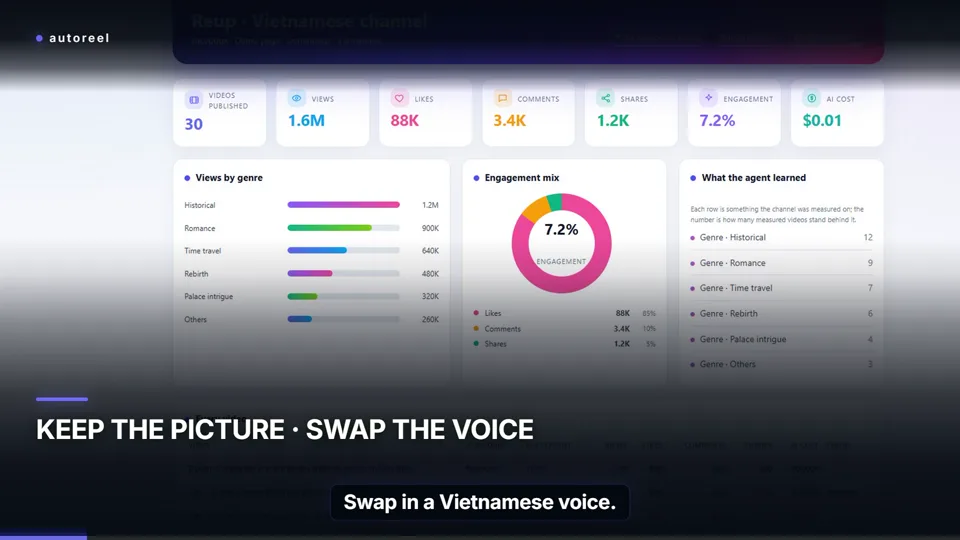
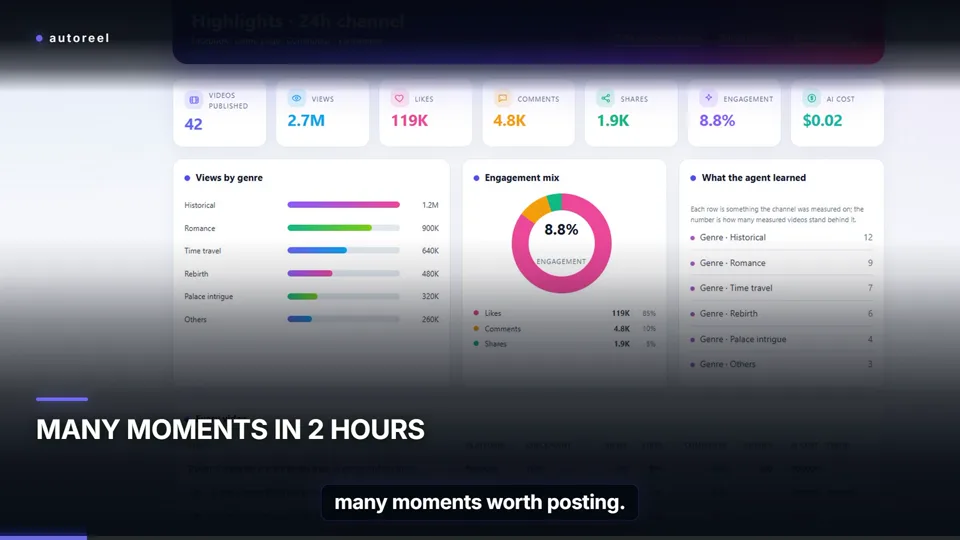
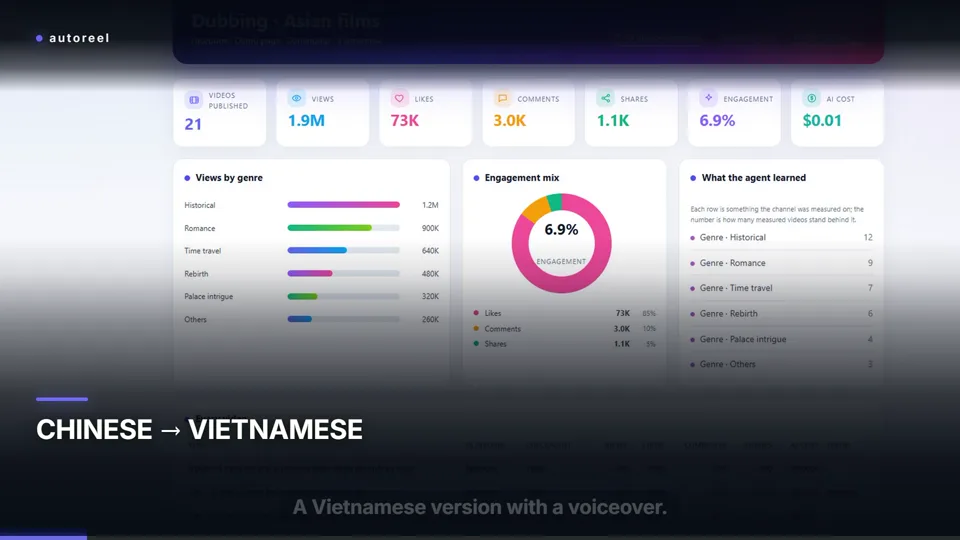
A new Page starts at zero. The numbers in these images show the layout and how to read it, not a promised result.
Create → Process → Publish.
Let AutoReel run the video workflow while you focus on the content, the product and the growth.
Zalo / WhatsApp: 0326012999
AutoReel — AI Content Automation Platform
Create. Process. Publish. Automate.