
Review flow
One source in, several videos out. The source is read only — it is never reposted.
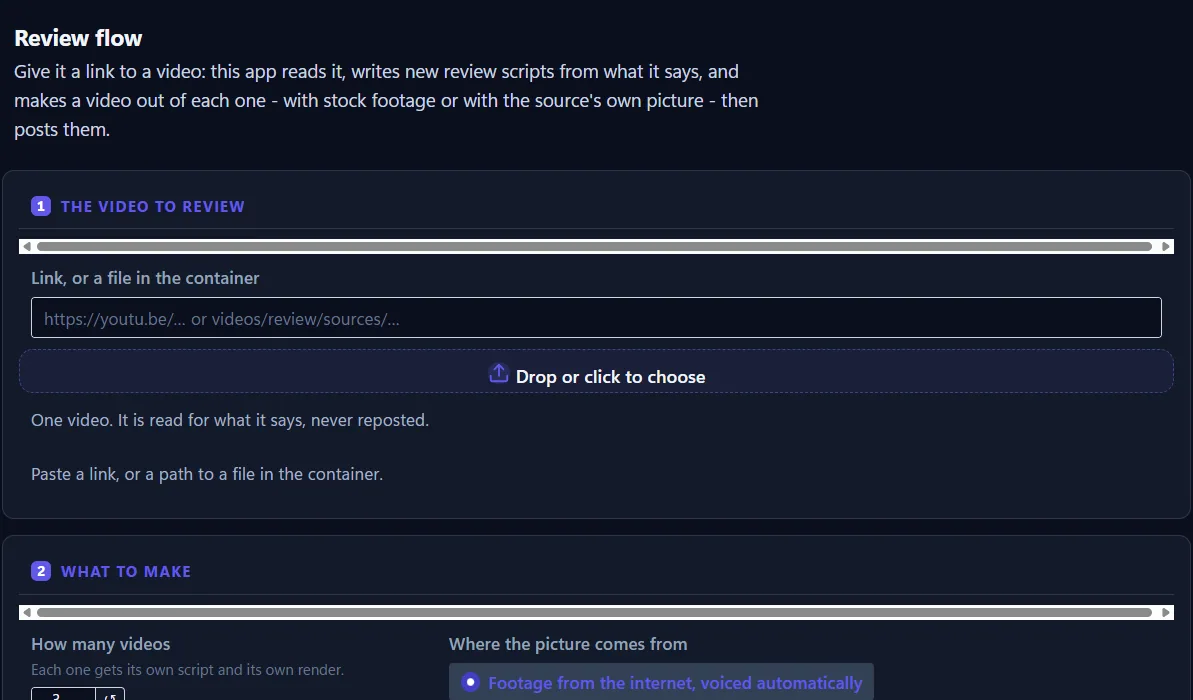
What the review flow does
The Review flow screen takes one video — Link, or a file in the container, or a file dropped on Or drop the video file here. It reads the speech in that video and writes a set of new review scripts out of what it finds.
Four marks of progress: Read → Scripts → Videos → Post. Every video it makes has a card of its own — Video 1, Video 2 — with its own state: writing, rendering, done, failed.
Three sources of picture
One choice under What to make changes what the rest of the screen means: Where the picture comes from.
| Mode | Where the picture comes from | Comes with it |
|---|---|---|
| Footage from the internet, voiced automatically | Shots downloaded from the internet, chosen by the renderer | Seconds per shot — how long one shot lasts |
| A window of the source, spoken here | A stretch of the very video being reviewed, with the new script spoken over it | Original frame, and only in this mode |
| Recap the film into one video | The whole film is read and retold as one Vietnamese video | Runs the Movie recap pipeline: one video, saved in the Video library, never posted automatically |
Running one
-
Paste the source into The video to review
One link, or drop one file. The line under the box says One source: … once the app has it. One source per run. -
Choose How many videos and Where the picture comes from
How many videos takes at most 20 in a run; past that the app tells you to run it twice. Then pick one of the three modes above — the Recap mode ignores the count and the posting targets. -
Choose the voice and the frame
The voice that reads it — ZeroTTS by default, on this machine, Vietnamese, no key. Then Language of the review, Frame shape, Reading speed, and Music under it if you want any. -
Say what the video is about
What the video is about is used for the script and for the renderer; left blank it falls back to the script itself. What the scripts must say is where the tone, the length and anything to mention or avoid goes. -
Choose where it goes under Where they go
Pick Send them to. If Shopee is one of them, Product to attach is required — one product, not a category link; Facebook does not need it. Choose the Phone to post from or the Pages for these videos, the Post them as, and the Gap between posts (s). -
Press Review
The line above the button says what the run amounts to: how many videos, roughly how many minutes. To cut it short: Stop — what was rendered is in the Video library, and that run posted nothing.
Where it goes wrong
| What you see | What it means |
|---|---|
| There was nothing in this video to read - no speech the transcriber could find. | The source has no dialogue. Pick another video |
| The transcriber found almost no speech in … seconds of video, … | A film with little dialogue reads as noise. This source is not one to write a review from |
| The script came back in a different language than … — … | The script came back in the wrong language, so the app stopped before rendering. Usually the source has no clear speech |
| … script(s) came back where … were asked for; the rest were not made. | Fewer scripts than you asked for. The missing ones are not made up for |
| … videos is more than one run makes (…). Start it twice. | At most 20 videos in a run |
| Original frame only works in "a window of the source" mode - … | Switch to that mode, or choose another frame shape |
| That is a product link, not a video. … | You pasted a Shopee link into the source box. A product link belongs in the Affiliate flow, not here |
| A run is already going. Stop it first. | One run at a time |
What next
If you have a product and want videos selling it, the affiliate flow is the shorter road: the videos are made from the product's own pictures, with nobody else's video involved.