
Settings
Everything the app needs to be told sits on one screen. The AI key has its own topic; this one covers the rest.
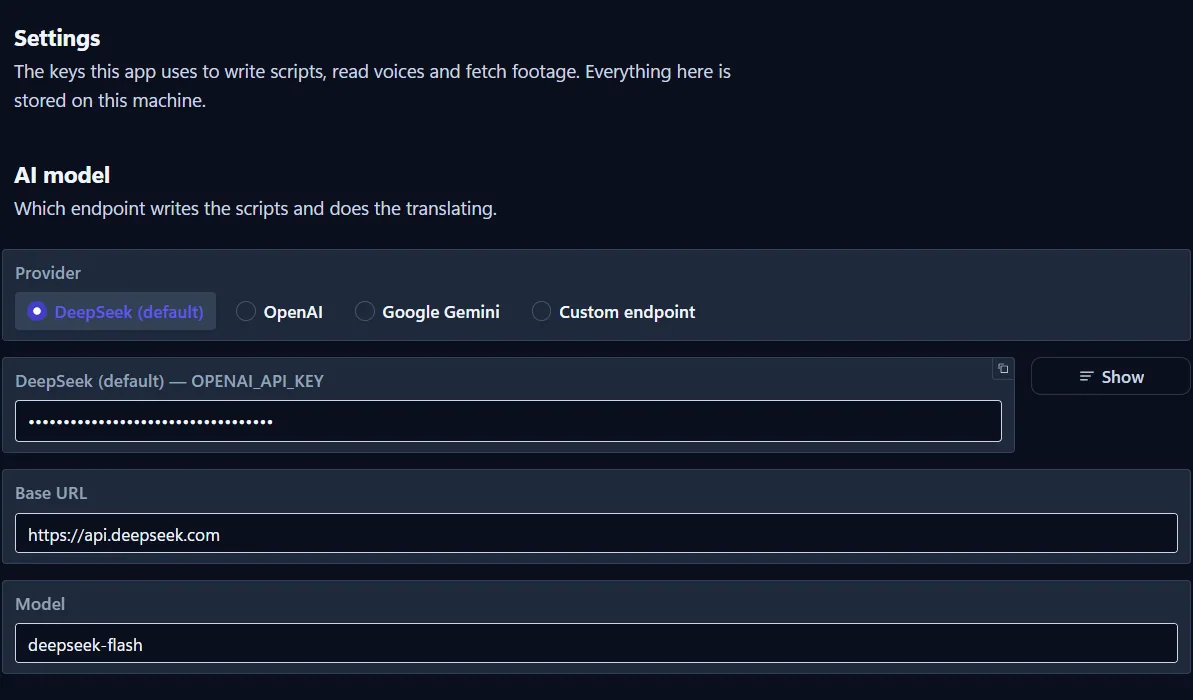
What is on this screen
Sidebar: the Ứng dụng group, the Cấu hình entry. The page itself opens on the heading Cài đặt — one screen, named two different ways, so do not go looking for a second one.
| Block | What is in it | Read more in |
|---|---|---|
| Mô hình AI | Provider, key, Base URL, Model, and Kiểm tra kết nối | The AI key |
| Khoá khác | KHOÁ PEXELS, KHOÁ ELEVENLABS, the Facebook pair | Connecting Facebook with a Meta app |
| Bot Telegram | The bot token and the list of people allowed to use it | The Telegram bot |
| Thiết bị Android | Pairing a phone over wifi, so the app can post to Shopee | Pairing an Android phone |
| Bản quyền | The activation key and the licence status | Activating your licence |
One save button for the screen
The lưu button sits below Thiết bị Android and above Bản quyền. That one button writes every field above it: the AI key, Pexels, ElevenLabs, the Facebook pair and the Telegram token.
Every key field shows dots rather than characters, and that is deliberate — somebody standing beside you cannot read it. The Hiện button beside each field reveals it; press again and the button becomes Ẩn.
The other keys
The Khoá khác (other keys) block holds three groups, none of them required:
| Field | What it is for | Without it |
|---|---|---|
| KHOÁ PEXELS | Background footage from Pexels, for Video ngắn and Video tự động | The video still renders, it just has no footage — and nothing reports an error |
| KHOÁ ELEVENLABS | The voice of the ElevenLabs engine | Nothing breaks — the app has voice engines that run on your own machine |
| FACEBOOK APP ID and FACEBOOK APP SECRET | Posting to a Facebook Page | Only needed if you actually use Facebook |
Beside KHOÁ ELEVENLABS is KÝ TỰ CÒN LẠI, a read-only box showing the account's remaining quota. The app asks the provider when you save a new ElevenLabs key.
A wrong ElevenLabs key refuses the whole save: the other fields you just edited are not written either. Fix the key and press lưu again.
The KHOÁ PEXELS field is the one with a status line of its own, sitting just above the Thiết bị Android block, because that key also has to reach the renderer. The three sentences it can say:
- AutoReel Engine: đã có khoá Pexels. — the key has arrived.
- AutoReel Engine: chưa có khoá Pexels — bấm Lưu để gửi sang. — not saved yet, or not delivered.
- AutoReel Engine: không kết nối được. — the renderer is not running.
The Kiểm tra button beside the field re-reads that state at any time, and the line also updates itself after every press of lưu.
The Facebook pair is the only place where the general rule is reversed: if those two values are already set in the app's .env file, the file wins over what you type in the box. For every other key, the box on this screen is the source.
The Telegram bot
The Bot Telegram block has two fields: BOT TOKEN (lấy từ @BotFather) and ID NGƯỜI ĐƯỢC DÙNG (allowed user ids). Both are written by the same lưu press as everything above.
The bot is optional, and it runs as a second container. There is no docker-compose line to add: the bot reads those two values from the same database it shares with the app. Once saved, start it once:
docker compose --profile telegram up -d --buildThe phone and the licence
The Thiết bị Android block pairs a phone over wifi so the app can post to Shopee itself. Its buttons — Ghép đôi, Kết nối, Kiểm tra, Làm mới, Ngắt, Xoá — act immediately and do not go through lưu.
The Bản quyền section is at the very bottom, below even the save button: the Mã kích hoạt field, the Kích hoạt button, Kiểm tra ngay, and Gỡ máy này.
Both of these have topics of their own — Ghép điện thoại Android and Kích hoạt bản quyền — so this page only says where they sit.